

Nocturne Stereo Reverb
Condition Guide
We grade items based on Reverb's grading system:
'Open box' or the cleanest examples and include original case candy, etc.
Minor cosmetic defects, such as surface scratches. Fully functional and in great shape.
More cosmetic imperfections than Excellent, but still in great overall condition.
Significant cosmetic imperfections, but the item is fully functional.
Various imperfections that may impact functionality, but the item is still playable.
By browsing and placing orders on our site you agree to our terms of service.
Pickup available at Stevie's Guitars in Edina, MN
Usually ready in 24 hours
Nocturne Stereo Reverb
Stevie's Guitars in Edina, MN
7601 Washington Ave S
Minneapolis MN 55439
United States
The Andy Timmons signature stereo reverb pedal!
From Keeley -
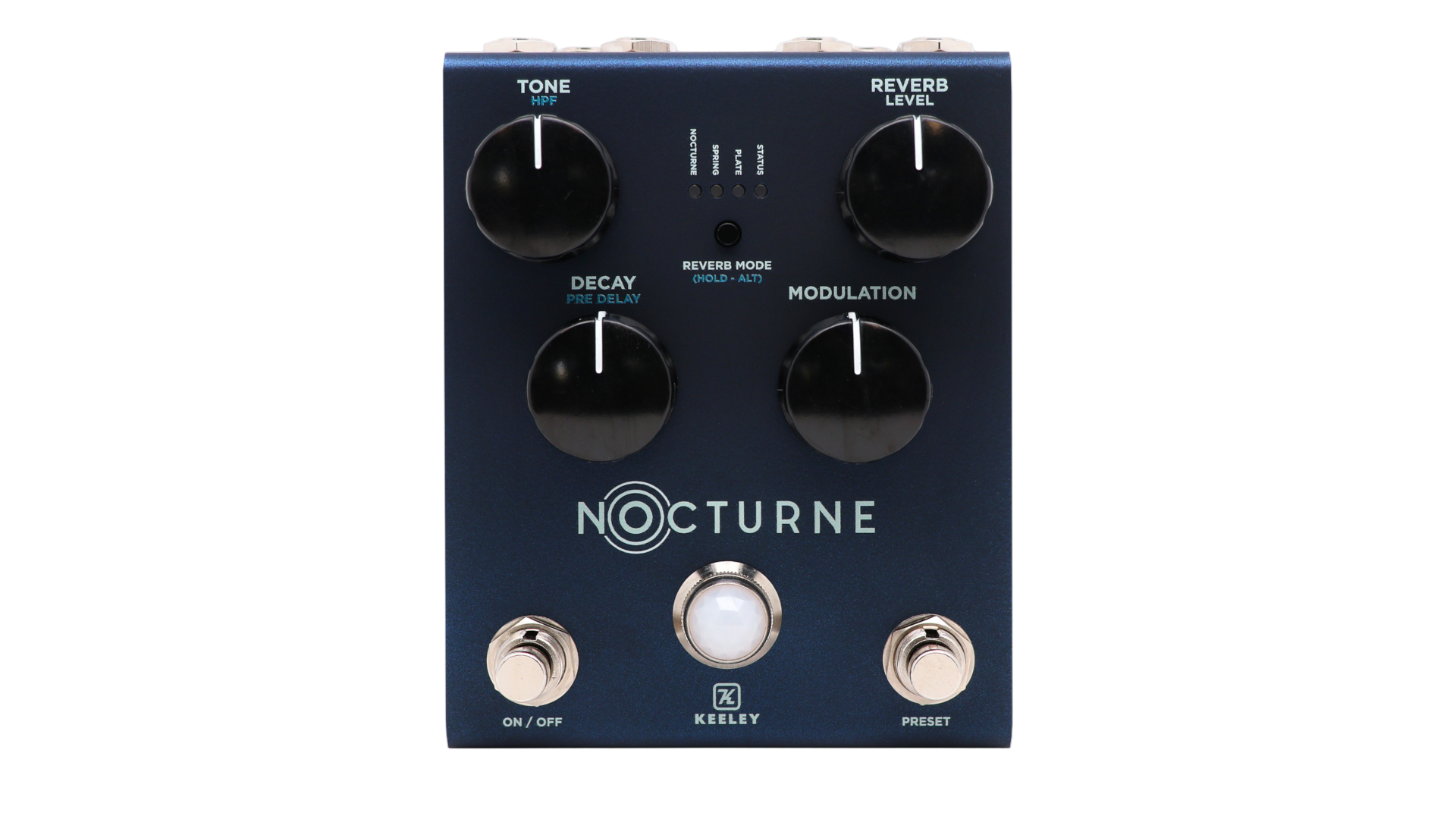
Tone – Controls the tone of the reverb. CCW for darker reverb trail, CW for brighter reverb trail
Level – Controls the output level of the reverb
Decay – Controls the length of the reverb trail. CCW for less decay, CW for more decay.
Modulation – Controls the amount of modulation in the reverb trail.
Mode Switch – This switch toggles between reverb modes: Nocturne, Spring, Plate
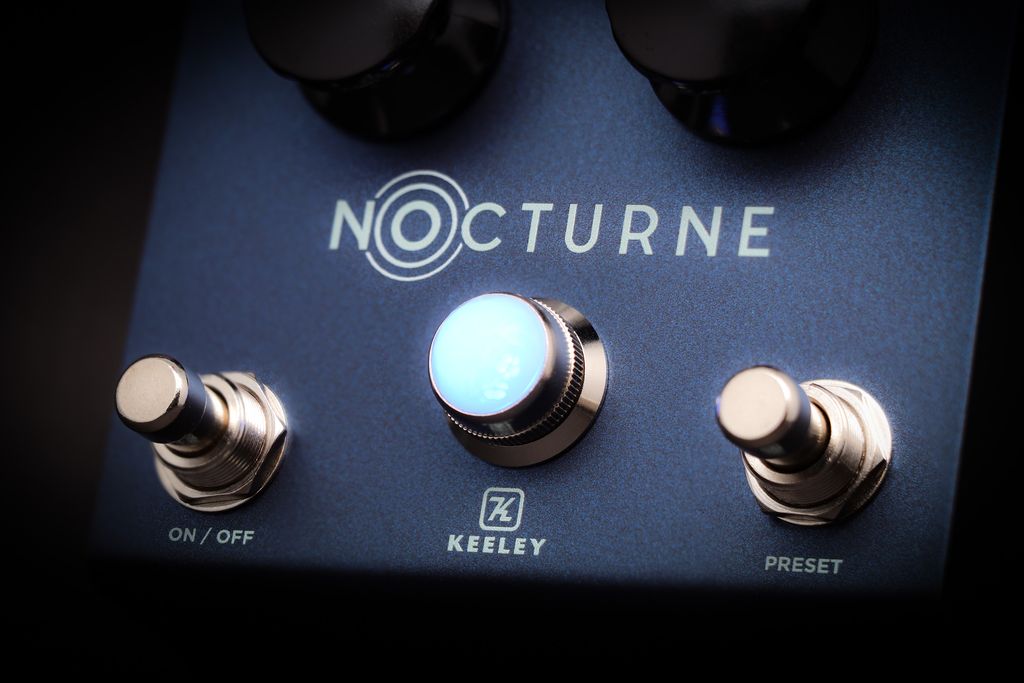
Left Switch – This switch turns the effect on and off.
Right Switch – This switch turns the preset on and off. When the preset is active the LED will change from BLUE to RED. Changing any parameter from the preset value will cause the LED to blink. The LED will stop blinking when the parameter is changed back to its preset value. To save the current settings, press and hold the Right Switch until the bypass LED blinks.
Secondary Functions
- High Pass Filter – Press and hold the Mode Switch while adjusting the Tone to change the low end response of the reverb.
- Pre-delay Time – Press and hold the Mode Switch while adjusting the Decay to change the pre-delay length. 0 to 250ms.
- True Bypass/Buffered Bypass – Press and hold the Left Switch until the bypass LED blinks to switch between Buffered-Bypass (LED blinks three times) or True-Bypass (LED blinks twice). The default is Buffered-Bypass.
- Save Preset – With the effect on and the preset active, press and hold the Right Switch until the bypass LED blinks to save all of the current parameters.
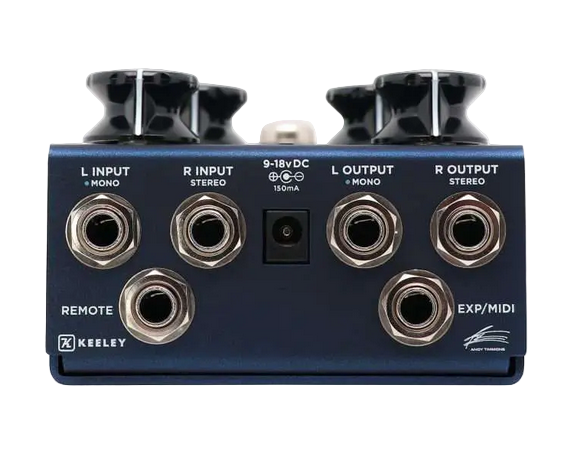
- EXP/MIDI Reverb Mode Switch – Toggle through the reverb modes using a momentary switch with a mono TS cable connected to the EXP/MIDI jack. (The EXP/MIDI jack has to be set to Expression mode). The reverb modes can also be toggled by pressing both Left and Right Switches at the same time.
Power Up Functions
Factory Reset – Press and hold the Left and Right foot-switches and the Mode Switch while applying power to the unit. The mode and bypass LEDs will blink several times to indicate the reset was successful.
Wet+Dry/Wet Only – Press and hold the Left foot-switch and Mode Switch while applying power to the unit. The bypass LED will blink BLUE twice for wet+dry and three times for wet only. The default is wet+dry.
Left Wet/Right Dry – The unit can be set up to where the left output is just the wet signal while the right output is just the dry signal. Press and hold the Right foot-switch while applying power to the unit to activate or disable this feature. The bypass LED will blink BLUE two times for off and three times for on. The default is off.
Trails – Press and hold the Left and Right foot-switches while applying power to the unit. The bypass LED will blink BLUE twice if trails is on and three times if trails is off. The default is with trails on.
Momentary/Latching Remote Switching – Press and hold the Left foot-switch while applying power to the unit. The bypass LED will blink BLUE twice for momentary and three times for latching. The default is momentary.
Shipping
We offer free shipping to the continental US for accessory orders over $75 and many of our electric guitars. Please advise: all shipped guitars may require minor adjustment upon receipt. International customers, please research your country's import laws and tariffs before ordering and contact us with your address for the best price.
Warranty
We personally inspect each item before it goes out and offer a one year warranty on everything we sell. Our in-house luthiers set up each and every guitar regardless of price so you can be sure that each guitar is one you'll be thrilled to play.